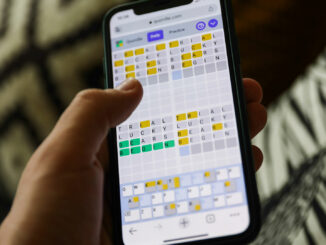
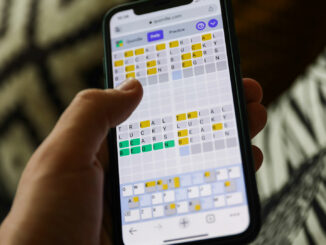
It’s time for your daily dose of Quordle hints, plus the answers for both the main game and the Daily Sequence spin off. Quordle is the only one of the many Wordle clones that I’m still playing now, around 18 months after the daily-word-game craze hit the internet, and with good reason: it’s fun, but also difficult. What’s more, its makers (now the online dictionary Merriam-Webster) are also keeping it fresh in the form of a variant called the Daily Sequence, which sees you complete four puzzles consecutively, rather than concurrently. But Quordle is tough, so if you already find yourself searching for today’s Wordle answer, you’ll probably need some hints for this game too. I’m a Quordle and Wordle fanatic who’s been playing since December 2021, so I can definitely help you solve Quordle today and improve your game for tomorrow. Read on for my Quordle hints to game #681 and the answers to the main […]
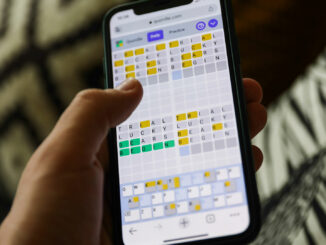
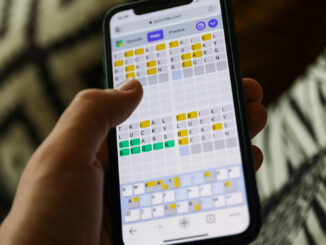
It’s time for your daily dose of Quordle hints, plus the answers for both the main game and the Daily Sequence spin off. Quordle is the only one of the many Wordle clones that I’m still playing now, around 18 months after the daily-word-game craze hit the internet, and with good reason: it’s fun, but also difficult. What’s more, its makers (now the online dictionary Merriam-Webster) are also keeping it fresh in the form of a variant called the Daily Sequence, which sees you complete four puzzles consecutively, rather than concurrently. But Quordle is tough, so if you already find yourself searching for today’s Wordle answer, you’ll probably need some hints for this game too. I’m a Quordle and Wordle fanatic who’s been playing since December 2021, so I can definitely help you solve Quordle today and improve your game for tomorrow. Read on for my Quordle hints to game #680 and the answers to the main […]
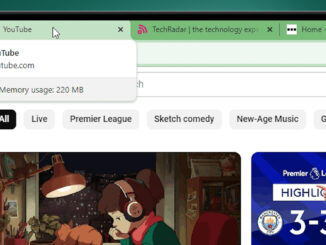
A new addition to the desktop Chrome browser lets you to see each tab’s memory usage, which could help you track down which sites are slowing down your laptop. Following the introduction of Google Chrome’s new Memory Saver mode earlier this year, Google has now rolled out a feature that reports memory usage on individual tabs when you hover over them in your browser. The feature is now available on most desktop platforms including ChromeOS, Windows, and Mac, as long as you’re running Google Chrome version 119 or later. As well as displaying the domain and page name, Chrome tabs include a mini report that shows each page’s RAM usage. The report includes information about memory consumption being caused by the content the tab is displaying, in addition to any background processes that are consuming memory. If a tab has been inactive for a certain period of time, Chrome will also display if the Memory Saver […]
WhatsApp is clearly keen to cement its place as the default place that you share snaps with friends and family – a new update to its iOS app now lets you send photos and videos to friends in “original quality”. Back in August, WhatsApp introduced a new option to send HD photos on iOS, Android and desktop. While that was an improvement, it still involved some compression – so now the messaging app is bringing an uncompressed option to iOS users, as spotted by WABetaInfo. To get the new ‘original quality’ option for photos and videos, you’ll need version 23.24.73 of WhatsApp on iOS, which is rolling out “over the coming weeks” (although it’s already available for us in the App Store). Once that’s installed, the process of sending uncompressed media is pretty simple. Just tap the ‘+’ icon in any chat, go to Document, tap ‘choose photo or video’ and pick the file you want to send. […]
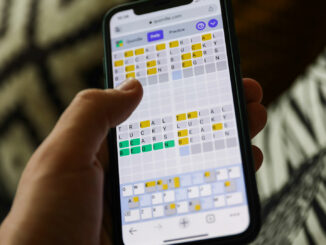
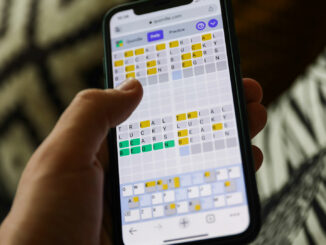
It’s time for your daily dose of Quordle hints, plus the answers for both the main game and the Daily Sequence spin off. Quordle is the only one of the many Wordle clones that I’m still playing now, around 18 months after the daily-word-game craze hit the internet, and with good reason: it’s fun, but also difficult. What’s more, its makers (now the online dictionary Merriam-Webster) are also keeping it fresh in the form of a variant called the Daily Sequence, which sees you complete four puzzles consecutively, rather than concurrently. But Quordle is tough, so if you already find yourself searching for today’s Wordle answer, you’ll probably need some hints for this game too. I’m a Quordle and Wordle fanatic who’s been playing since December 2021, so I can definitely help you solve Quordle today and improve your game for tomorrow. Read on for my Quordle hints to game #679 and the answers to the main […]
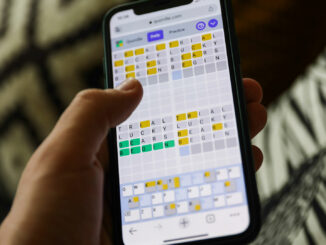
It’s time for your daily dose of Quordle hints, plus the answers for both the main game and the Daily Sequence spin off. Quordle is the only one of the many Wordle clones that I’m still playing now, around 18 months after the daily-word-game craze hit the internet, and with good reason: it’s fun, but also difficult. What’s more, its makers (now the online dictionary Merriam-Webster) are also keeping it fresh in the form of a variant called the Daily Sequence, which sees you complete four puzzles consecutively, rather than concurrently. But Quordle is tough, so if you already find yourself searching for today’s Wordle answer, you’ll probably need some hints for this game too. I’m a Quordle and Wordle fanatic who’s been playing since December 2021, so I can definitely help you solve Quordle today and improve your game for tomorrow. Read on for my Quordle hints to game #678 and the answers to the main […]
It’s time for your daily dose of Quordle hints, plus the answers for both the main game and the Daily Sequence spin off. Quordle is the only one of the many Wordle clones that I’m still playing now, around 18 months after the daily-word-game craze hit the internet, and with good reason: it’s fun, but also difficult. What’s more, its makers (now the online dictionary Merriam-Webster) are also keeping it fresh in the form of a variant called the Daily Sequence, which sees you complete four puzzles consecutively, rather than concurrently. But Quordle is tough, so if you already find yourself searching for Wordle hints, you’ll probably need some for this game too. I’m a Quordle and Wordle fanatic who’s been playing since December 2021, so I can definitely help you solve Quordle today and improve your game for tomorrow. Read on for my Quordle hints to game #677 and the answers to the main game and […]
It’s time for your daily dose of Quordle hints, plus the answers for both the main game and the Daily Sequence spin off. Quordle is the only one of the many Wordle clones that I’m still playing now, around 18 months after the daily-word-game craze hit the internet, and with good reason: it’s fun, but also difficult. What’s more, its makers (now the online dictionary Merriam-Webster) are also keeping it fresh in the form of a variant called the Daily Sequence, which sees you complete four puzzles consecutively, rather than concurrently. But Quordle is tough, so if you already find yourself searching for Wordle hints, you’ll probably need some for this game too. I’m a Quordle and Wordle fanatic who’s been playing since December 2021, so I can definitely help you solve Quordle today and improve your game for tomorrow. Read on for my Quordle hints to game #676 and the answers to the main game and […]
You may or may not have heard of Samsung’s proprietary browser, Samsung Internet, but it’s quietly been becoming a favorite of many people who use it on their Samsung smartphones. Now, a desktop version of Samsung Internet is debuting for Windows PCs. According to users on the Samsung subreddit, they like features like its built-in ad-blocker, its deeper and darker dark mode, the smooth integration with Samsung pass (especially if they choose to save most of their information in Samsung pass as opposed to Google or Edge), an incognito mode that you can save bookmarks in, extension support, and more. SamMobile calls Samsung Internet “one of the best browser apps available for Android devices,” and claims that it’s more popular than Google Chrome in some regions (which the company would say, of course). Samsung pass is a password manager that stores sensitive information (like login credentials, passwords, pay information) for various apps and websites, making it easy […]
Got an old Gmail account that you set up a while ago but have forgotten about? It could be worth tracking it down and signing in, because Google will start deleting inactive Gmail accounts from tomorrow, December 1. Google first announced that it was changing its “inactive account policies” back in May, stating that “if a Google Account has not been used or signed into for at least two years, we may delete the account and its contents.” While that might not sound too concerning for most Gmail users, the content that Google will delete includes emails, Docs, Drive, Meet, Calendar and Google Photos. So if you’ve previously set up an account that is tied to some old photos that you haven’t backed up, it could be worth finding the account and logging in. The act of signing into the Gmail account or using Google Drive should be enough to take it out of the path of […]
What do all Apple app developers have in common? Not much really beyond an almost preternatural enthusiasm for Apple’s platforms and the opportunity to reach the Apple ecosystem’s millions of customers. What amps that excitement up to 11 for them is the chance to be named one of the best apps of the year. Recently, I got to meet and talk to some of the 14 developers of those now-award-winning apps. Naturally, I asked them about their apps, but what I really want to know about is how they’re preparing for Apple’s Vision Pro and spatial computing. To my surprise, some of them answered me. One week after Apple’s App Store Editorial team named the 40 finalists, the Cupertino Tech giant revealed the 14 Apps and Games winners across, the best iPhone, best iPad, best Apple Watch, and best Mac Apps. Apple even added a new wrinkle this year: Cultural Impact winners. Apple also selected an app […]
It’s time for your daily dose of Quordle hints, plus the answers for both the main game and the Daily Sequence spin off. Quordle is the only one of the many Wordle clones that I’m still playing now, around 18 months after the daily-word-game craze hit the internet, and with good reason: it’s fun, but also difficult. What’s more, its makers (now the online dictionary Merriam-Webster) are also keeping it fresh in the form of a variant called the Daily Sequence, which sees you complete four puzzles consecutively, rather than concurrently. But Quordle is tough, so if you already find yourself searching for Wordle hints, you’ll probably need some for this game too. I’m a Quordle and Wordle fanatic who’s been playing since December 2021, so I can definitely help you solve Quordle today and improve your game for tomorrow. Read on for my Quordle hints to game #675 and the answers to the main game and […]